About MESH
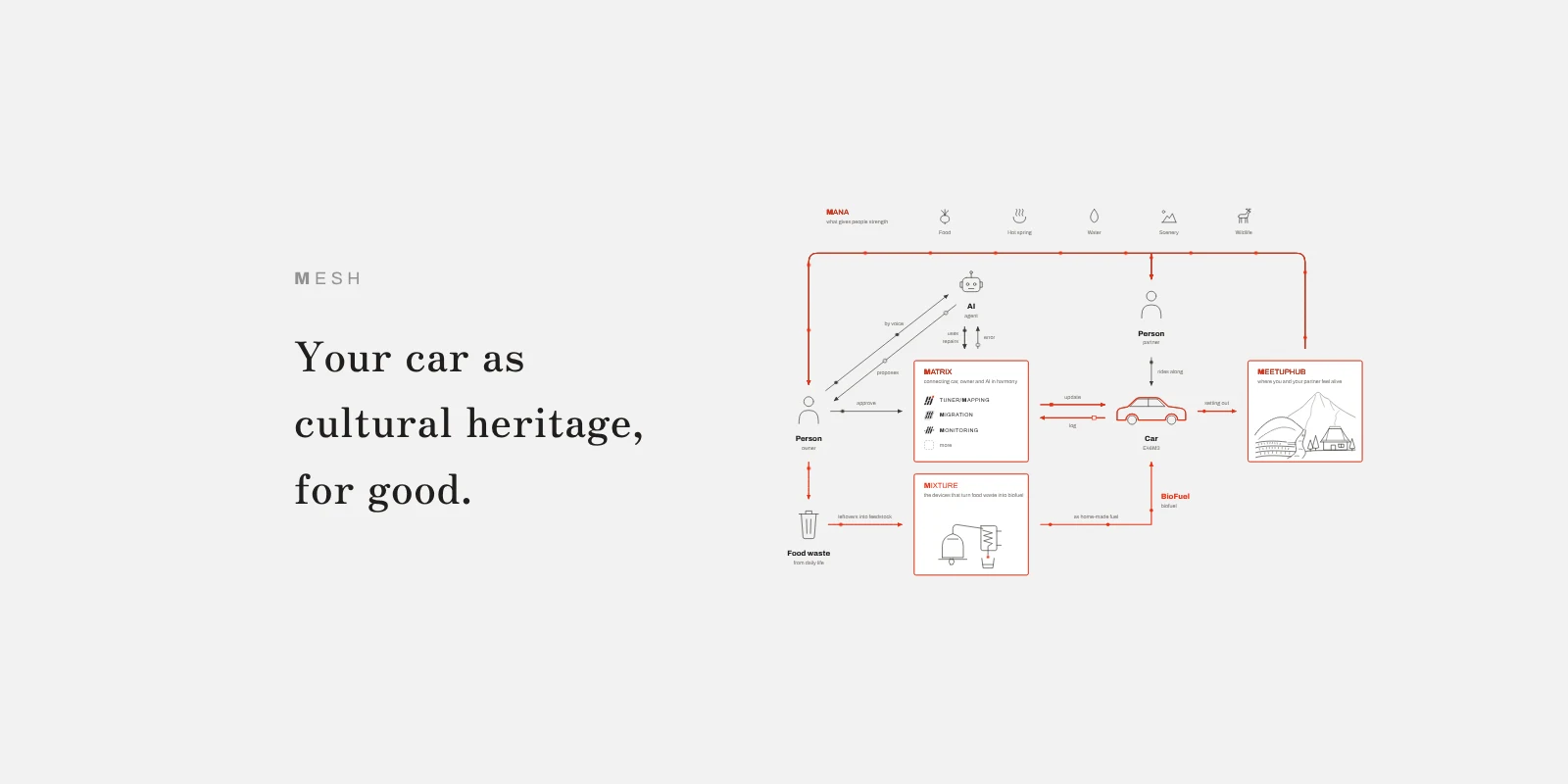
I packaged everything I can do into apps and Skills, so that an AI can do all of it.
MESH is how I share that.
On top of that, I'm getting ahead of things I'll only be able to do in the future, so the AI can do those too.
The price is the same as before, and what you can do has jumped more than tenfold.
With that, M has ended the service where I helped owners with their cars directly.
Until now, I've concentrated on building tools, to make Matrix real (Matrix: the family of M's tools that an AI can use).
From here, I'm shifting toward making ethanol from waste.
That doesn't mean I'm leaving cars.
Running a BMW E46 M3 on ethanol made from waste, and tuning it with TUNER (M's tuning app for the E46 M3's engine computer): I'm bringing all of that into Matrix.
The thing is, the funds are nowhere near enough.
So, in return for handing over everything I've built up, please become a sponsor of the funds that carry it on to what comes next.
MESH is also that idea, packaged for the owners and companies who are counting on what I do.
So what is MESH?
So what is MESH? It's the meaning you hear in IT: a network, connections.
I named it MESH because I want to widen the circle of people putting technology to use. I've made the code repositories public, so that anyone who's interested can use them as a reference for their own projects.
Why make all the code public when I need funds? It's my own kind of pushback against putting economic growth above everything, a question to society: is that really all right?
People who are good at marketing will probably copy it and make money.
Do I mind? Of course I do. But if it moves your dream even one step closer, that makes me far happier.
If I keep giving like this, as much as I possibly can, I believe the people who receive it will give that much happiness to their partners and their kids.
Then that passes on to the next generation, and happiness spreads across the world exponentially. If we could build that kind of world out of "cars are a creepy hobby for show-offs and men who can't get a date," wouldn't that be damn fun?
(Reference: Yuta Chikauchi, Sekai wa zōyo de dekite iru ("The World Is Made of Gifts"), in Japanese.)
And wouldn't that let you get one over on the "oni-yome" (a wife who rules the house with an iron fist) who shot down your car hobby without even hearing you out?
That's the feeling behind it, and why I make it free for the whole world.
It's also an experiment in joint research and development, for people who are put off by code and programming but still want to get their hands on the technology, or are curious about development.
I was one of them. I wanted to make my own tools, but I couldn't program, so I couldn't get anywhere.
The cost of learning was so high I was at a loss. Thanks to AI, and to the people before me who made their code and knowledge public, my dream came true.
Still, I think plenty of people are put off by programming. As one way through that wall, I made two versions of the apps: the public build and the WORKS build (the research and development build).
The public build and the WORKS build
The public build is free to use. What goes into the public build has been tested well and is stable as a product.
The WORKS build, on the other hand, is a prototype that hasn't been tested enough yet.
Many of the limits are lifted, and it's packed with features I haven't finished verifying. It's the build that's still in development.
So I open the WORKS build only to people who have bought MILE (MESH's unit of sponsorship), so they can help test it.
"Why would I pay to help you test?" If that's what you're thinking, use the free public build, or fork the repository and debug it yourself.
(As I'll explain below, that's because MILE is a way of asking for sponsors who keep this work going.)
Buy MILE only if you want to be an accomplice (a fellow researcher) who resonates with the fun of stepping past the limiter into research and development, and opening up ground no one has reached yet with the S54 (the E46 M3's engine) and AI, together with me.
If you've bought MILE and would like it, I'll put your name in the apps' credits.
It goes on the MESH page as well.
When Matrix, M's family of tools, spreads around the world, your name will be recorded there as a hero, forever.
Why I made it a sponsorship
Now to the main point: MESH is a sponsorship-based platform for developing together.
The DIY community so far has run on volunteer researchers publishing for free. Being part of it, I always felt something was off.
But charging for development didn't feel right either. I felt it would break what's good about the community's culture.
Donations didn't match what I had in mind either.
After trying all sorts of things to find what fit, I decided that a sponsorship, where the people who want to back it back it, was exactly right, and made it this way.
And while I've been concentrating on development, what I once wanted to achieve in a plant ended up being achieved in a car.
That's part of why I've also taken it on as work, so that it can be rolled out not only for cars but for plants and industrial machinery.
(Honestly, I'd like a Japanese carmaker to sponsor this. However you look at it, it would become a foundation for growing the aftermarket. The only person I can think of who would understand this and actually act on it is Akio Toyoda, chairman of Toyota.)
MILE and the tiers
If you'd like to support this, you do it by buying MILE.
However much MILE you buy, sponsors are listed on MESH in the order they joined.
There are three tiers:
Minds: for DIY owners who love their cars. From 1 MILE. You can use the WORKS builds and put your MILE on the features and tools you want built. Your contribution shows on MESH. It's for people who already know their way around AI to some extent, and who want to connect Matrix to the AI service they use and learn how to use it by talking it through with the AI.
Masters: for deep enthusiasts. In steps of 10 MILE. Like Minds, you can use the WORKS builds and put MILE on features and tools. On top of that, your base, contact details and logo go on MESH, and I'll invite you to MEETUPHUB and give you advice on getting the most out of the tools.
↑ Up to here, the service is for the BMW E46 M3 only.
- Mainstay: for anyone, with cars or with plants, who wants to build and run the same kind of system as Matrix. By individual agreement. You're listed at the very top of MESH, and I advise on implementing your own custom definitions, logic, workflows, UI and UX, and on building tools with agents, and provide the Skills.
On MESH, under MILESTONE, I've laid out the features I can develop as a route map, in the order I want them.
So when you buy MILE, if there's a feature you'd like to come first, put your MILE on that MILESTONE. I'll use it as a reference for the order of development.
If you'd like to develop, I may ask you to develop with me.
About Mainstay
I provide advisory not only for cars but also for plants and industrial machinery.
Matrix's Skills and code can't be used as they are, but you can carry over the know-how you can't get just from reading code or Skills: the architecture, how to think about the implementation, how the tools work together. That cuts the effort of building it in-house substantially.
With tools like these, what takes the time and the accumulated know-how is less the implementation than the trial and error on the real equipment after the first rollout. M cuts out most of the trial and error over the tools' architecture and how they link up, so you can put all your resources into harmony between the equipment, the people who use it and AI, and into raising the quality of what the equipment produces.
For cars: with a BMW, Matrix's Skills and code carry over almost as they are. With other makers, if you have the communication protocol and the vehicle's module data, and for an ECU its definitions, carrying it over goes quickly.
Where there are no ECU definitions, we build them by analysing the module data and communicating with the car: identifying the vehicle and taking data logs while reading the internal calculated values.
If even part of a definition exists, deriving from it lets you pin down the parameters and functions you want to use right away, and name the definitions, smoothly.
I advise on this approach, and the development is led by your company's engineers.
Everything you develop belongs to your company. There's no additional fee for running it on your real equipment after development. If you need advisory again, we'll make a separate advisory agreement.
If, once it's established in operation, you'd like to provide this advisory service to other companies, we may make an agreement along the lines of a "noren-wake" (a Japanese tradition where a shop lets a trusted apprentice open their own branch under its name) or a franchise, so please talk to us.
Since it's an individual agreement, please contact us from the MESH page.
Ask the AI about the tools
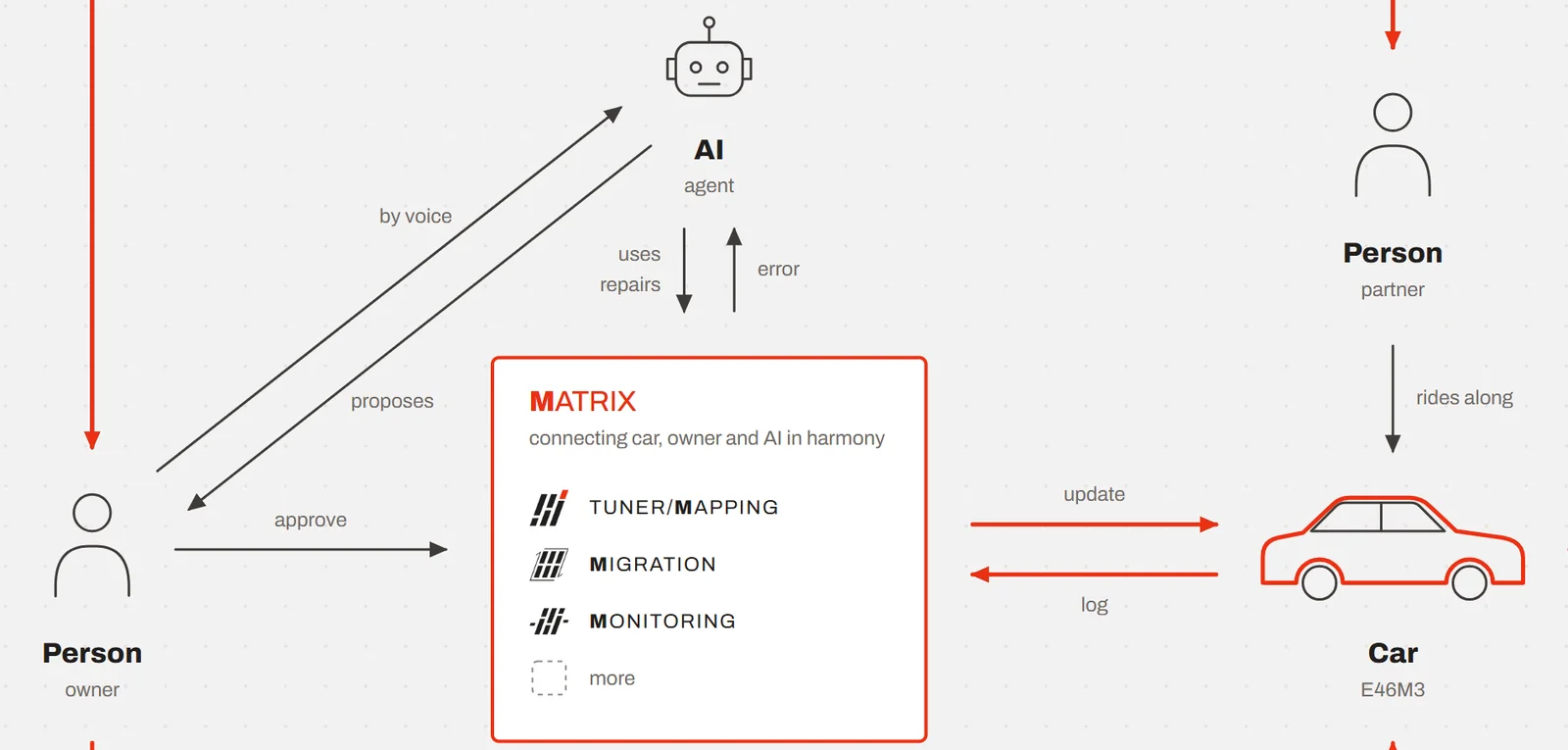
If you'd like to try the various tools, I'm sure you'll have all sorts of questions. Ask the AI, not me.
Install the MCP server called Matrix in the AI you use, and it will tell you everything the tools can do and how to use them, beyond what you'd imagine.
Right now I've confirmed it runs stably only in Claude, so here are the steps to get started, using Claude as the example. The screens are the same in Claude Desktop and on the web (claude.ai).
1. Buy MILE, and the WORKS APPS in the M menu open
When you buy MILE on MESH, your purchase slip appears, and on that device the WORKS APPS (the WORKS builds of the apps) in this site's M menu open.
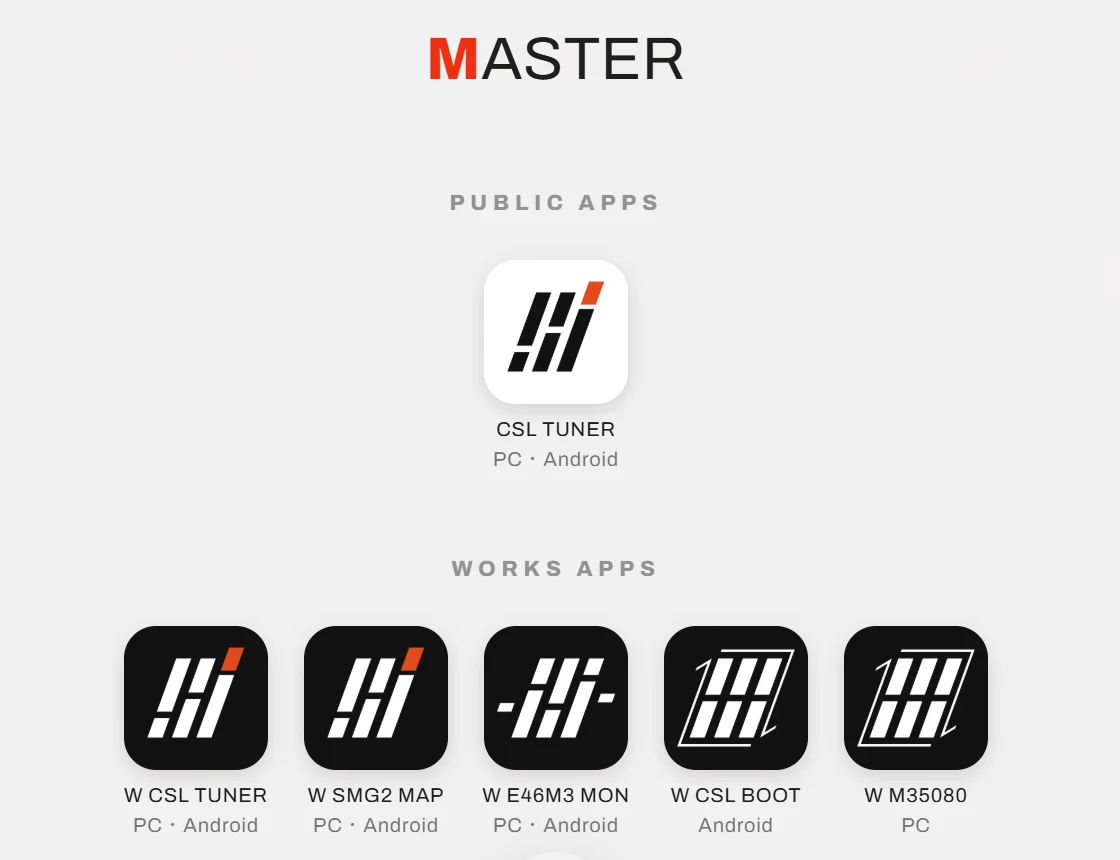
2. Open a WORKS app
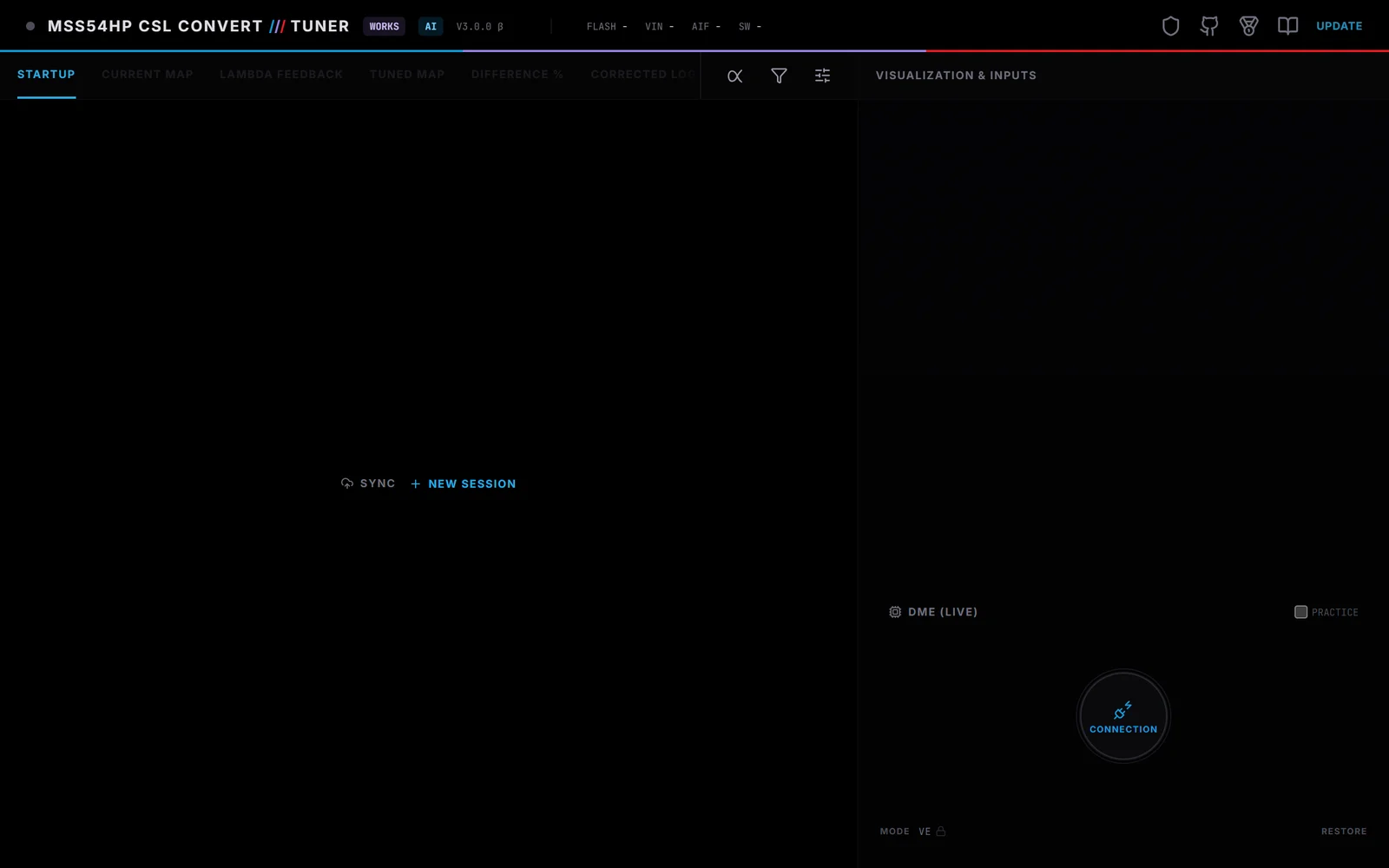
Open a WORKS app from the M menu. Here we use W CSL TUNER (the WORKS build of TUNER) as the example. The first time you open it, the disclaimer and a guide to using it appear.
3. Add the plugin to Claude
In Claude, go to Customize → Plugins, choose Add → Add marketplace → Add from a repository, enter mushitaro/matrix-tsunagi and press Sync.
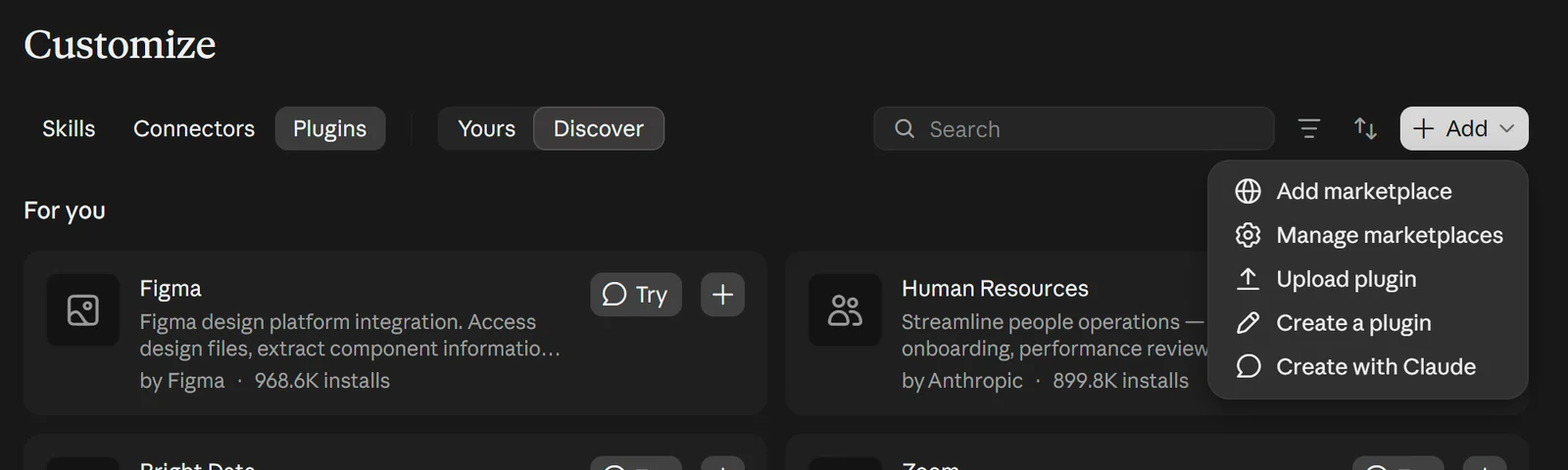
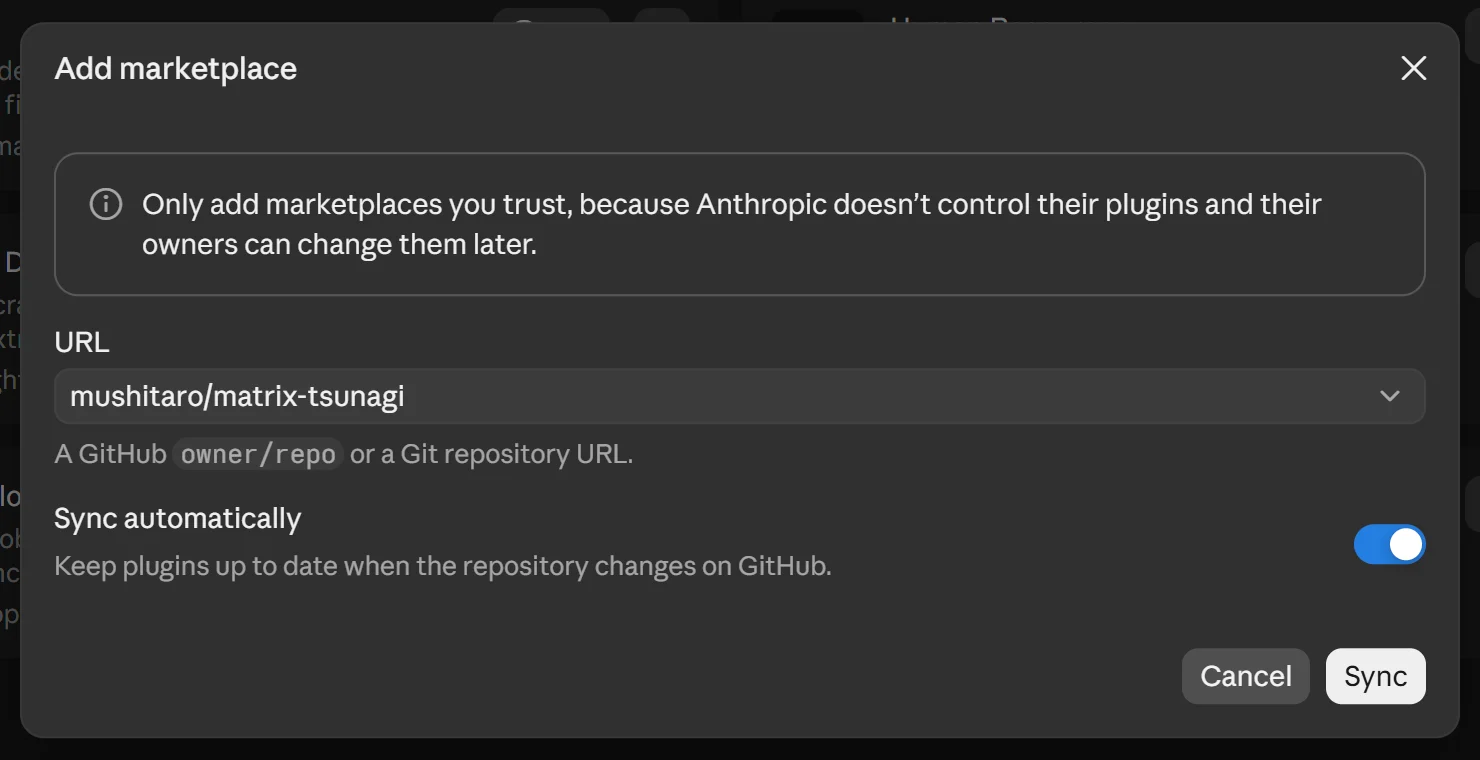
Add the Matrix tsunagi that appears, and it's installed. Along the way, Claude asks you to confirm that it includes local MCP servers: press Continue.
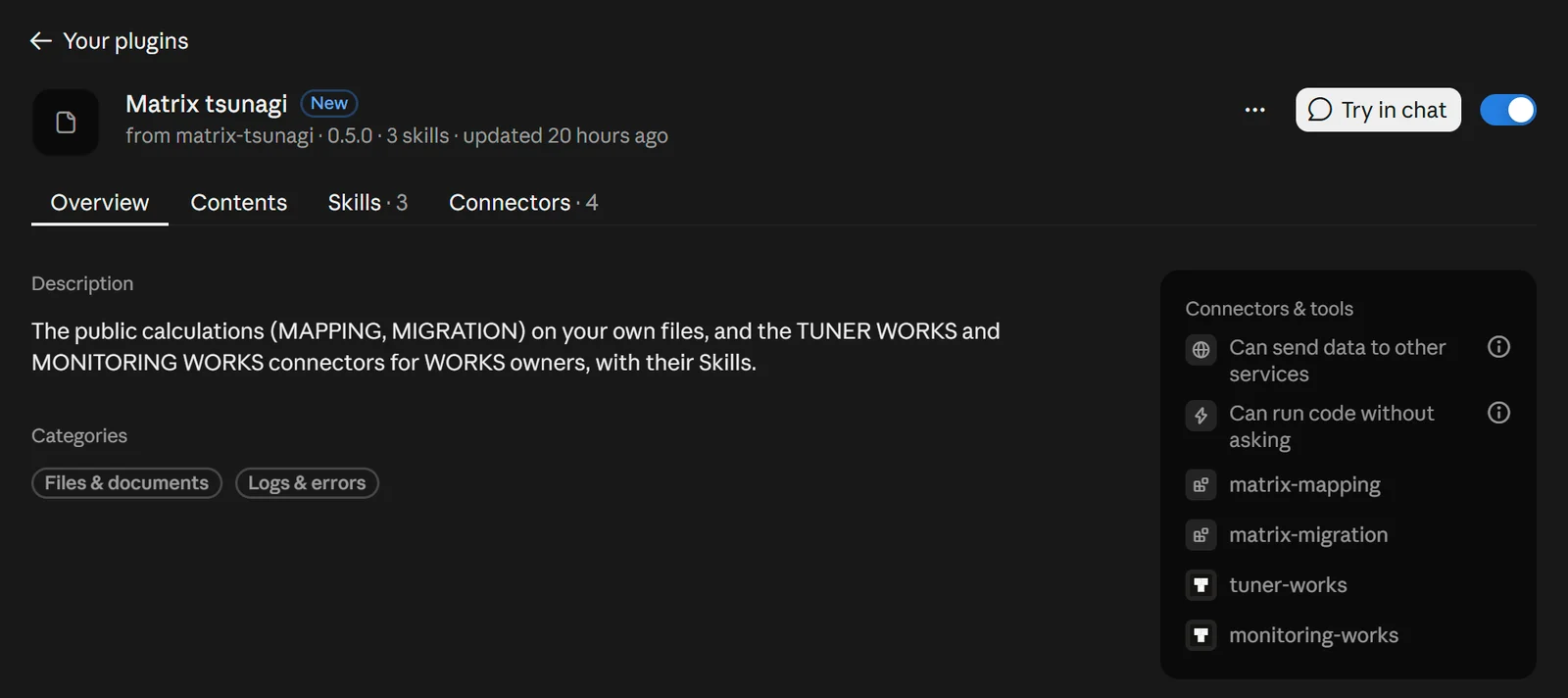
4. Sign in through the connectors
In the plugin's Connectors, press Connect for tuner-works and monitoring-works. A page asks "Let Claude use your … WORKS?". Read what it can and can't do, and press Allow and sign in on m3.
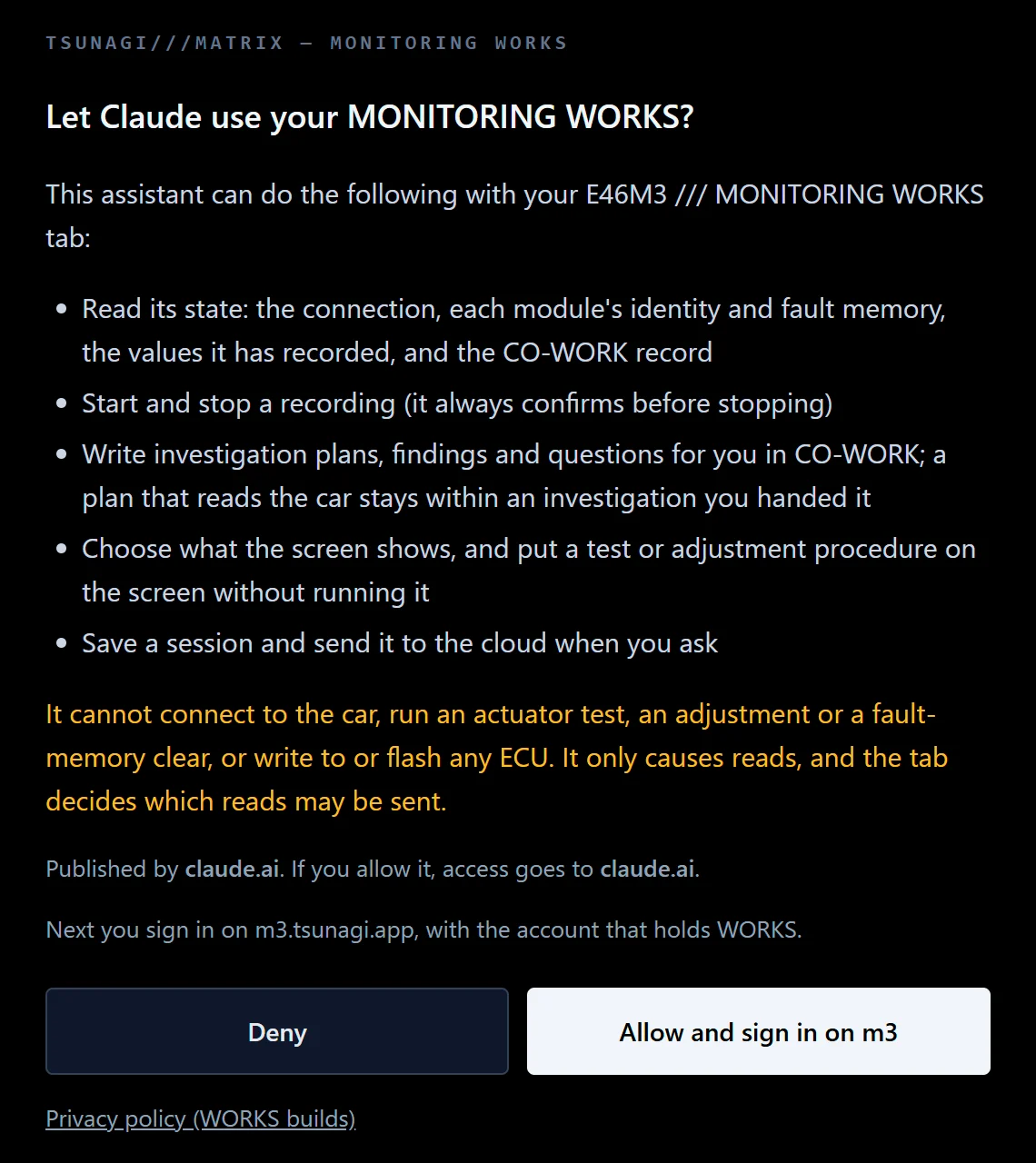
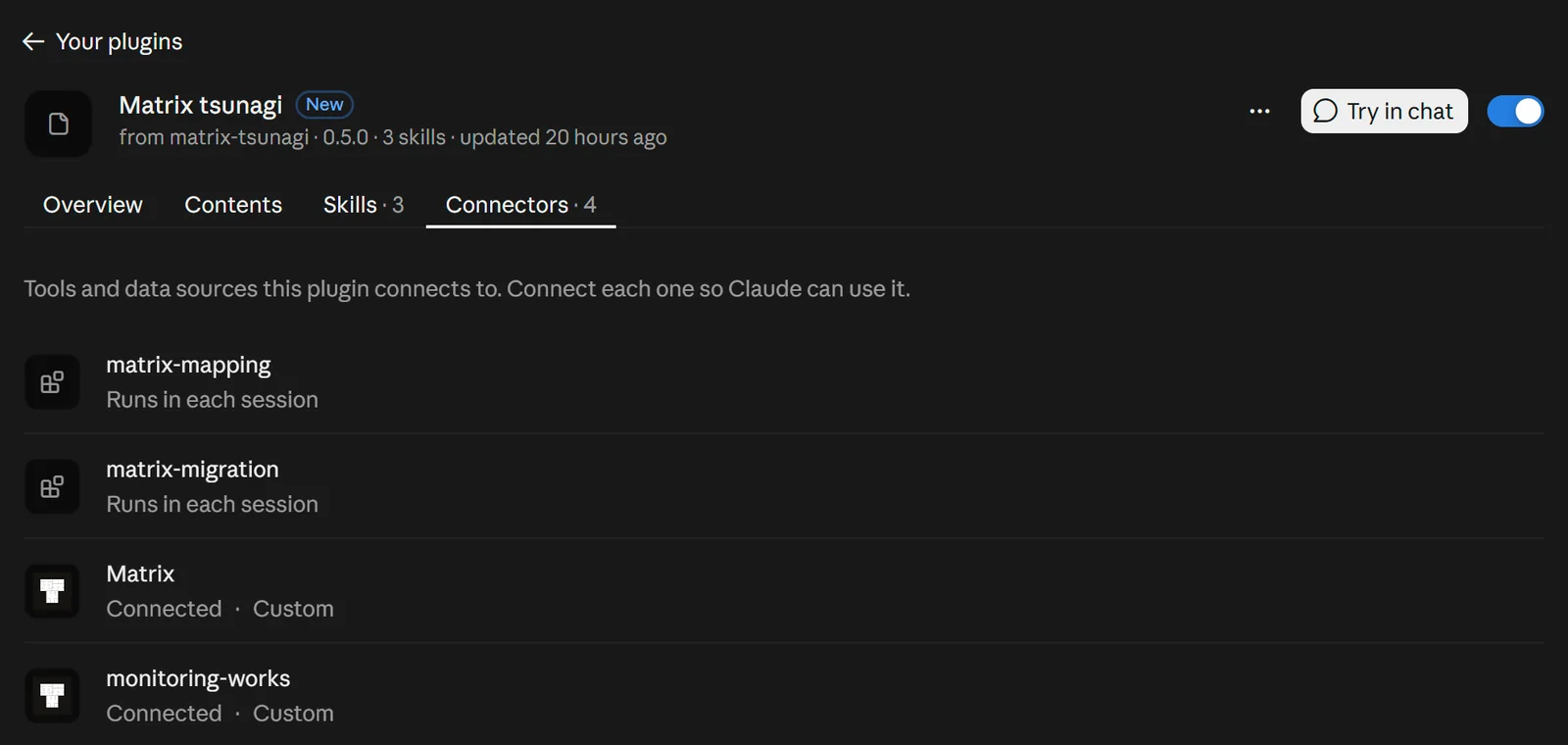
5. Turn ASSISTANT on in the app
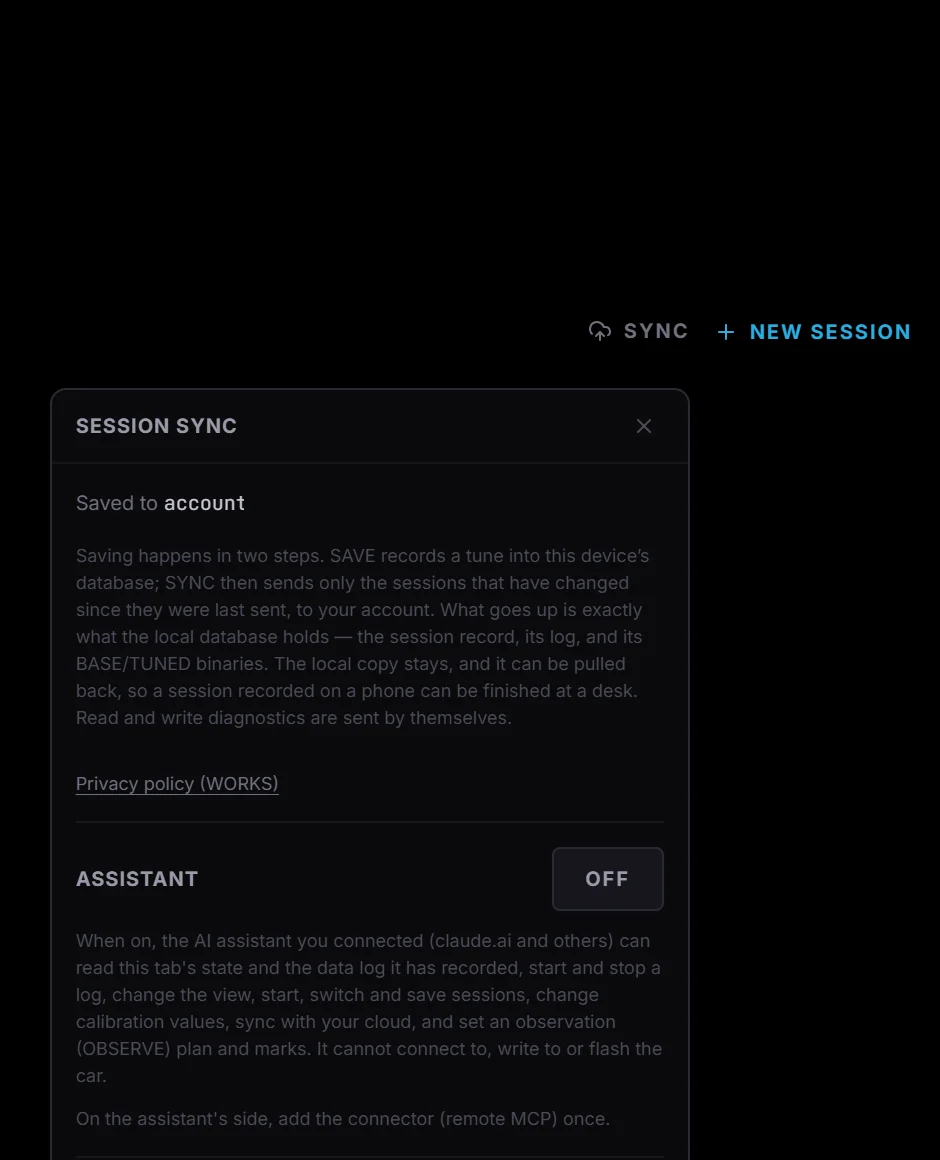
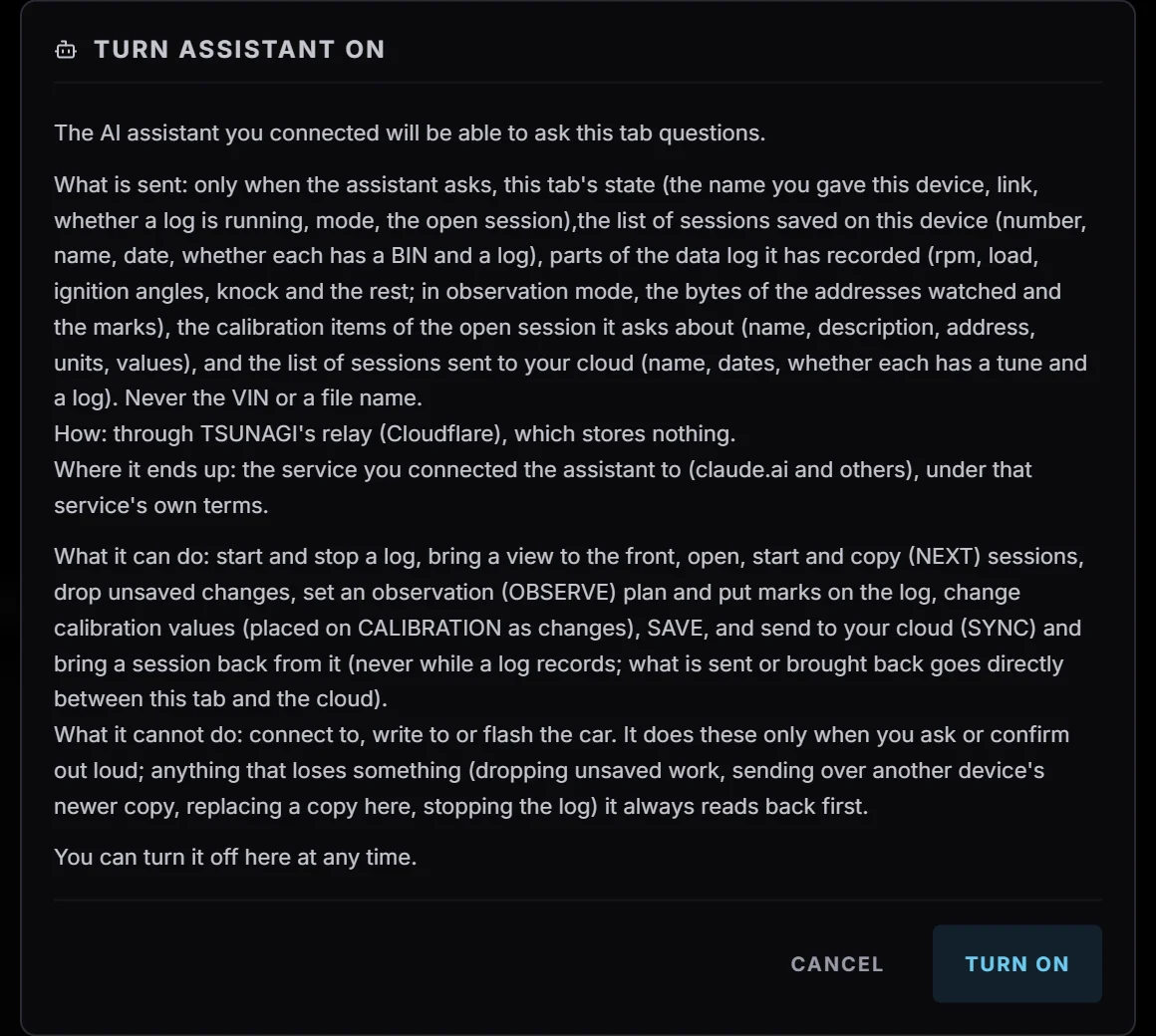
In TUNER's WORKS build, open SYNC and press OFF next to ASSISTANT. The Turn ASSISTANT on dialog explains what is sent, what the AI can do and what it can't. Read it and press Turn on. Now the AI can read the app's state.
6. Open a Claude chat
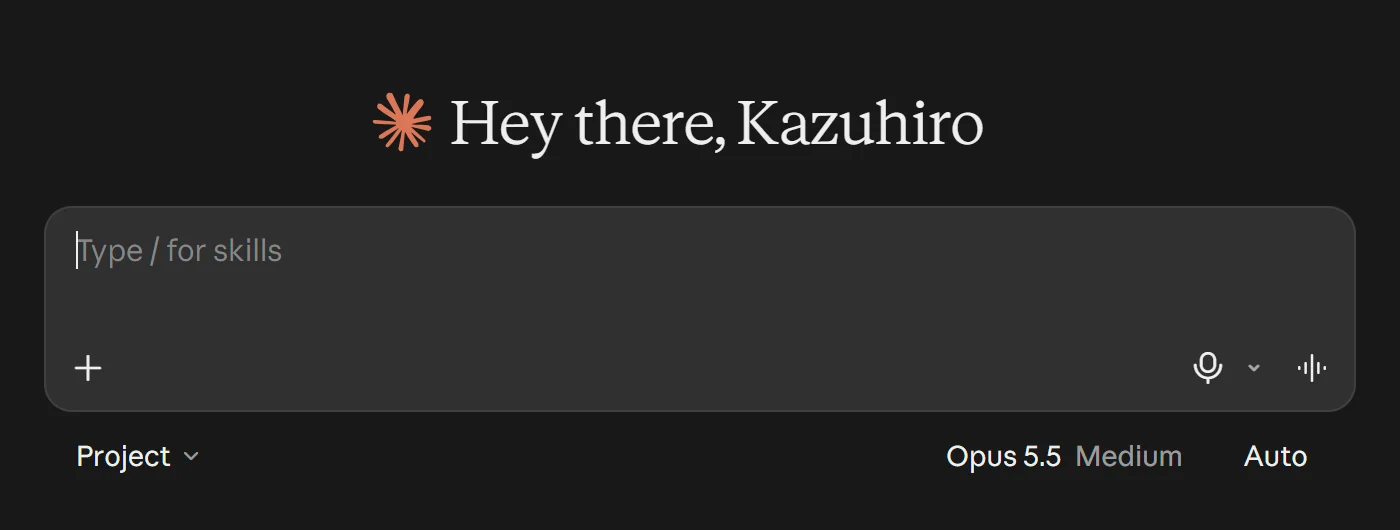
7. Ask a question
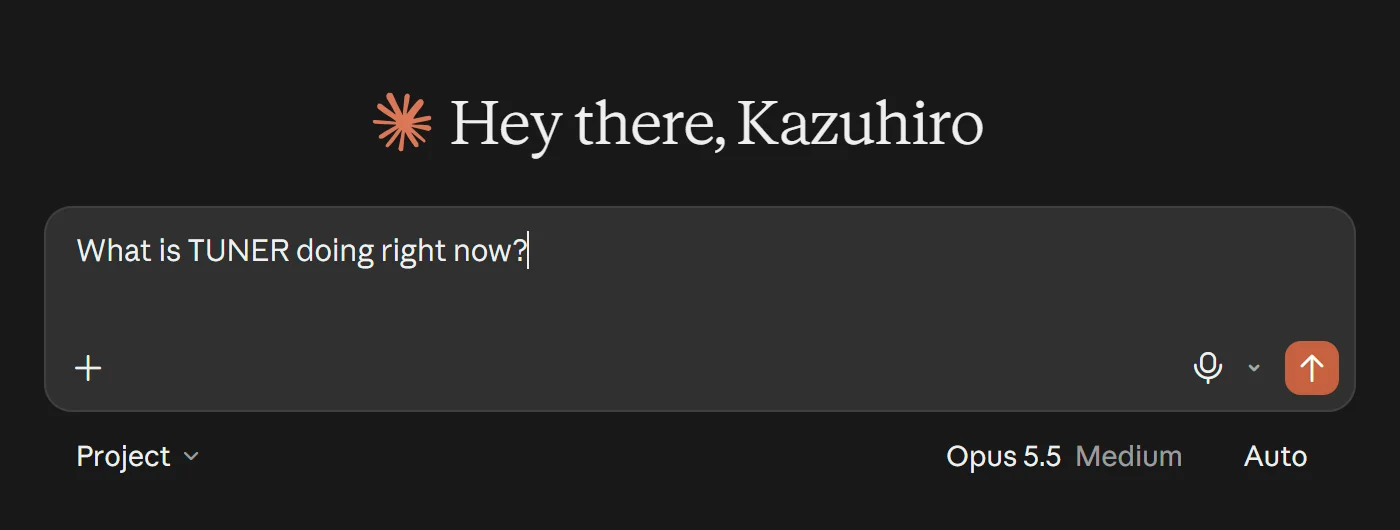
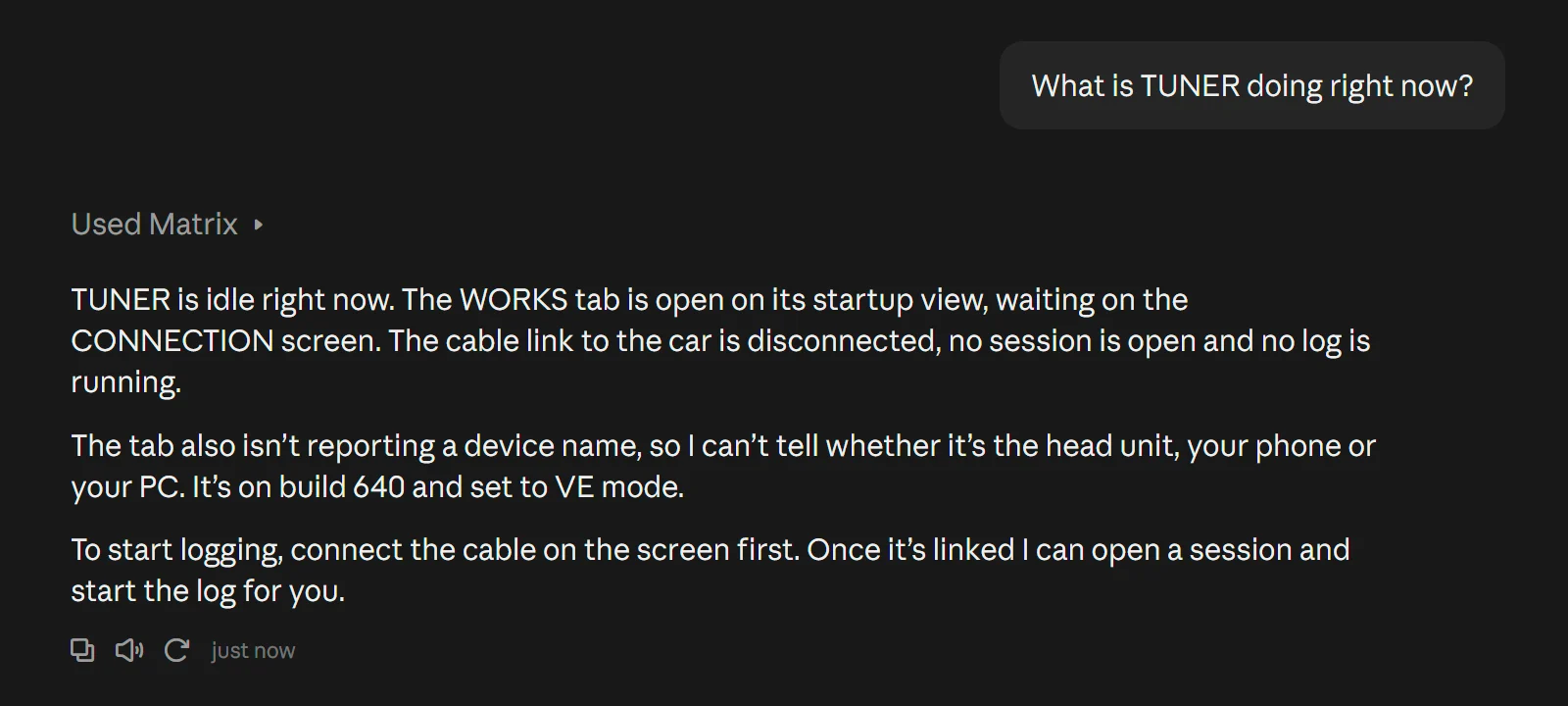
You can type it or speak in voice mode. For example, ask "What is TUNER doing right now?"
8. The answer comes back
Claude reads TUNER through Matrix and answers.
That's the setup done. From here, ask the AI whatever you want to know.